- 13 April 2024 (134 messages)
-
 What I was gonna say....expect this to hit the tools...today... ...at least...it's the same shit that's out now.....Android 14 support and 6God...will be shut out and I'll strictly keep it between US ...3....
 -
Nobody will expect which way I'll go for 14 and 6God support...but hey I love it.....so far....test 1 failed....test 2...semi failed...which I hate because at least with test 1....I know why it failed....test 2...I am absolutely clueless about....and I hate that shit...cuz it's more stupid reading I have to do.....but oh well..
-
1) Can I change these using FTL shell?
-
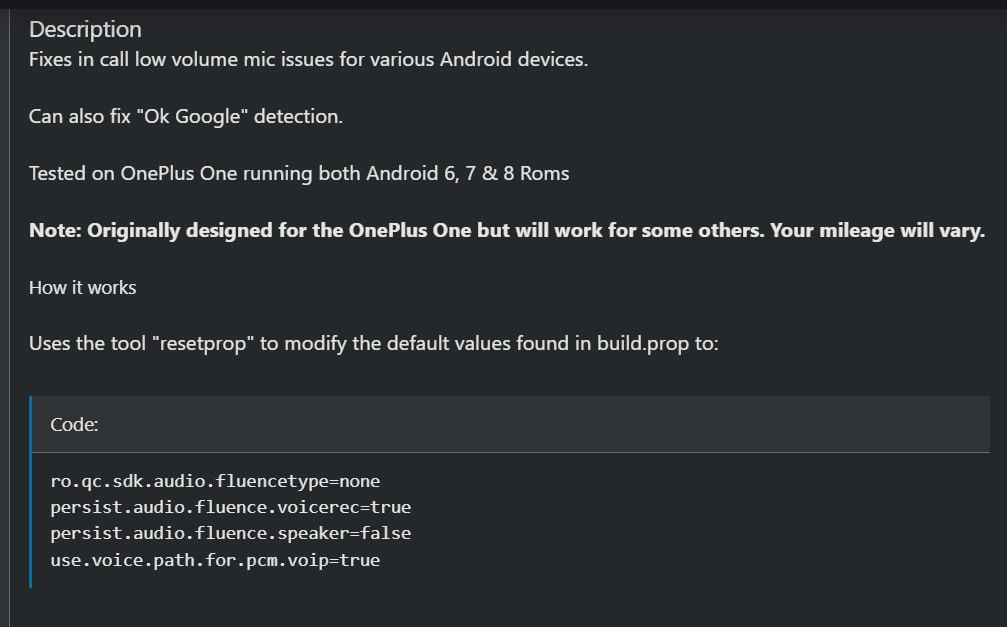
Have really low earpice . receiver volume
-
2) Hi.
I am looking for noise suppression / reduction like Krisp Ai / Nvidia broadcase / Nvidia Voice / Equalizer APO's VST plugins of windows in android.... is it possible to reduce noise during active calls in android using software ? There's an app Abox voice changer that can change real time voice . I have reached out to them implement it if not already there. -
@hidden666nemoroot
-
 maybe you can, try it
 -
no wait no
-
it's on build.prop then no
-
build.prop is on system partition
-
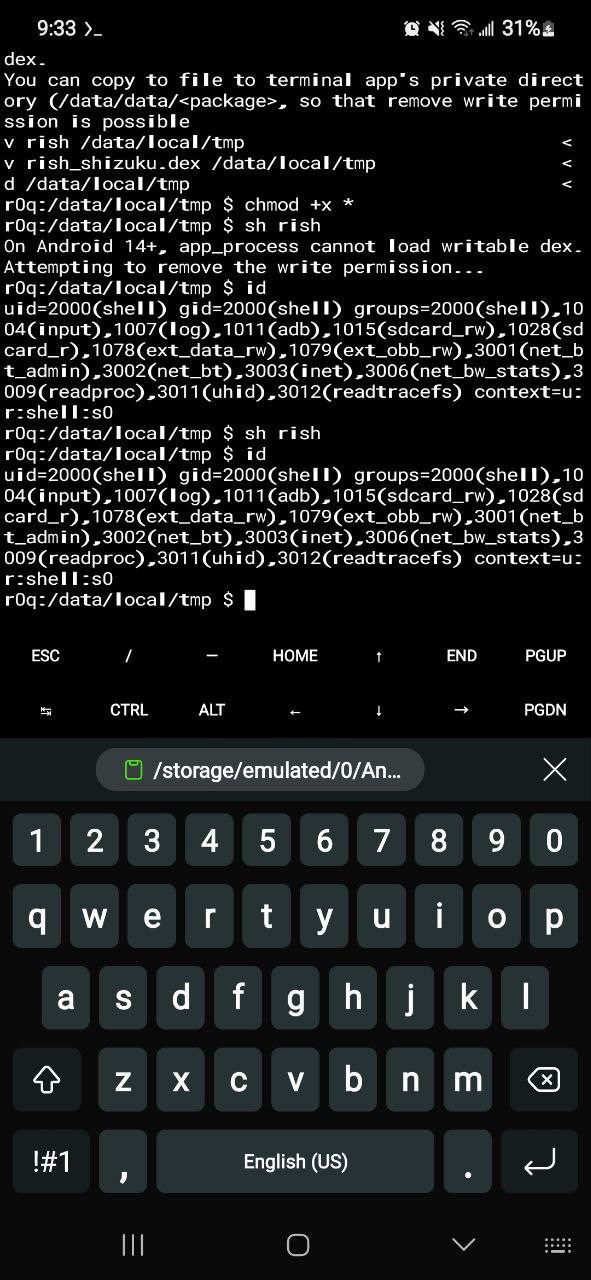
Tasker shizuku uid1000 accomplished.
-
-
-
launching system uid commands app click thumbs up, 👍
-
next step as you can see CPU freq keeps jumping up once app is launch. I need to figure out how to keep them FIXED to 1 frequency only.
-
I ask for help whoever is online.
-
-
-
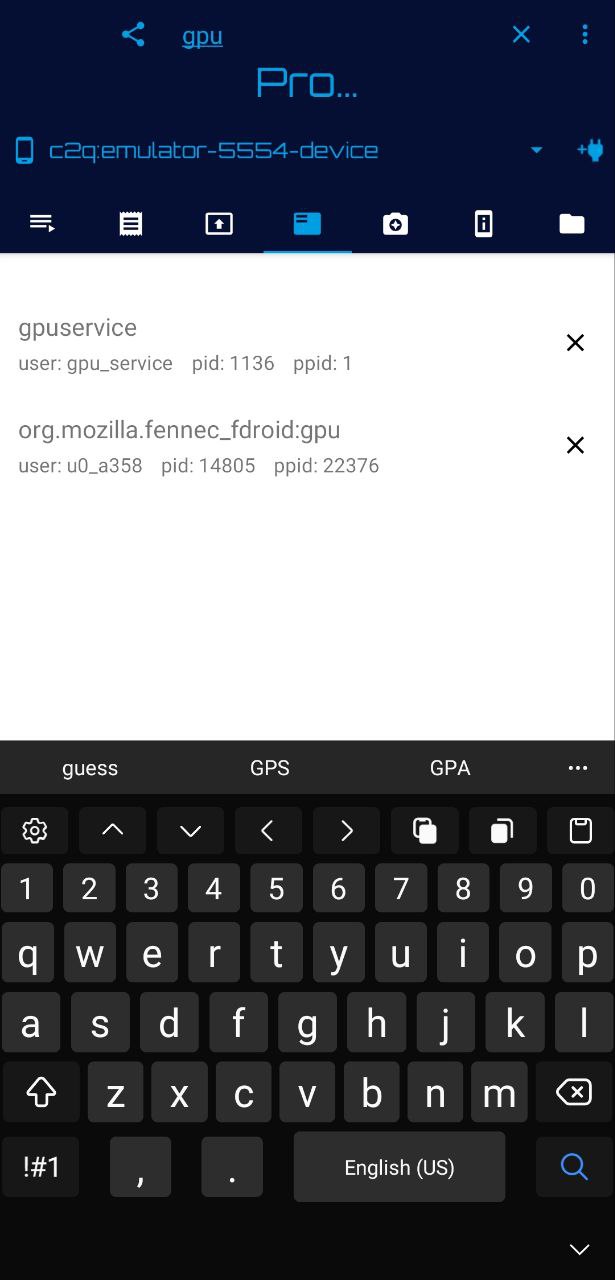
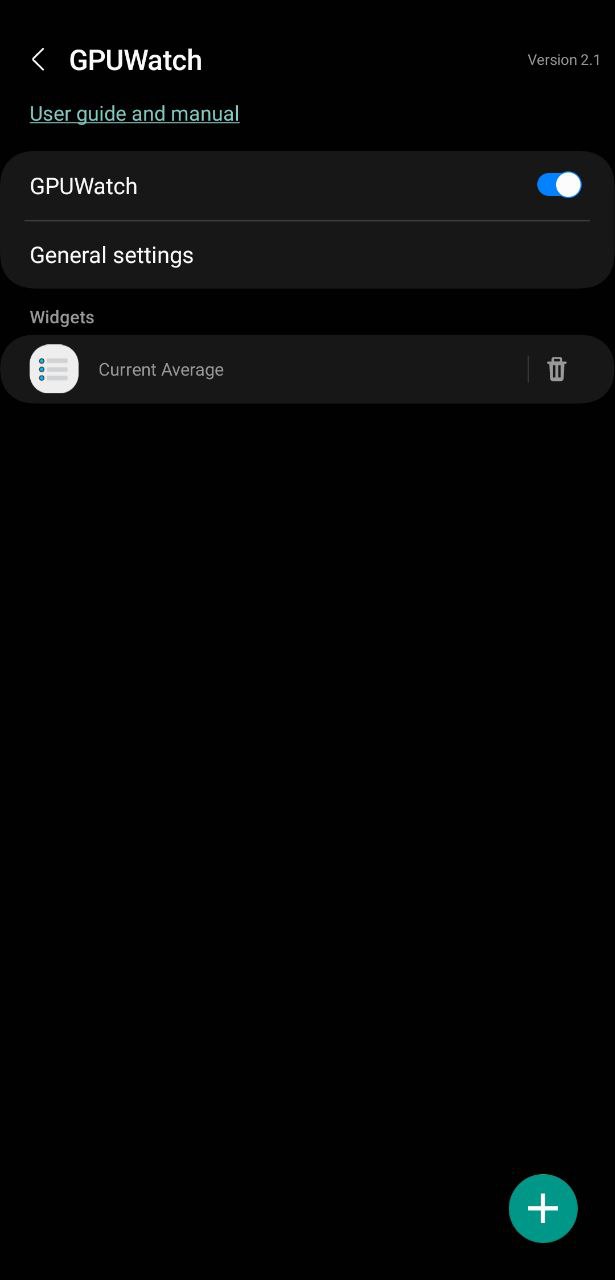
gpuservice starts when you toggle on the GPUWatch.
-
how can I perform the same function as the toggle but with system shell?
-
- 14 April 2024 (300 messages)
-
You might need to call an activity or service from it but you gotta decompile and see what's inside. Luckily Settings doesn't seem to had been processed by proguard
-
am start -n com.samsung.gpuwatchapp.Service -e android:name=com.samsung.gpuwatchapp.service
-
try that no success
-
idk if you have gpuwatch in your phone, but I challenge anyone with system Shell to kill gpuservice. I did not find a way.
-
try 3 methods and did not work might be unkillable.
-
-
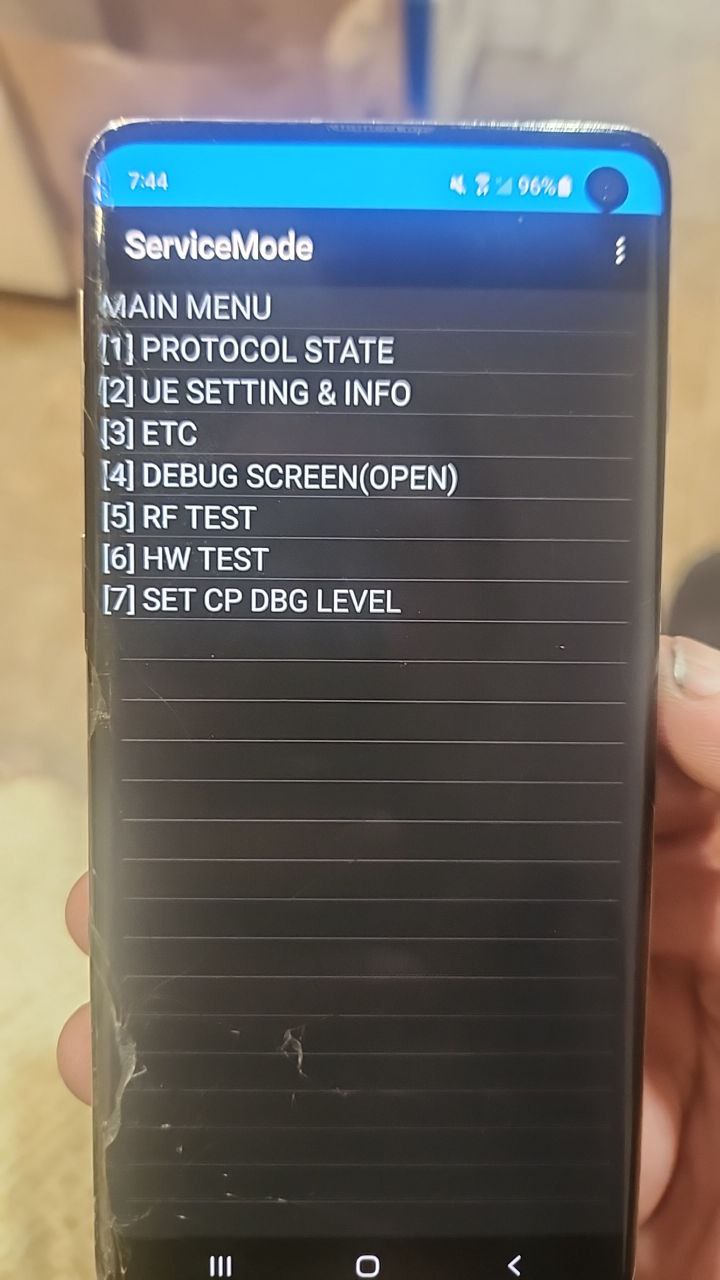
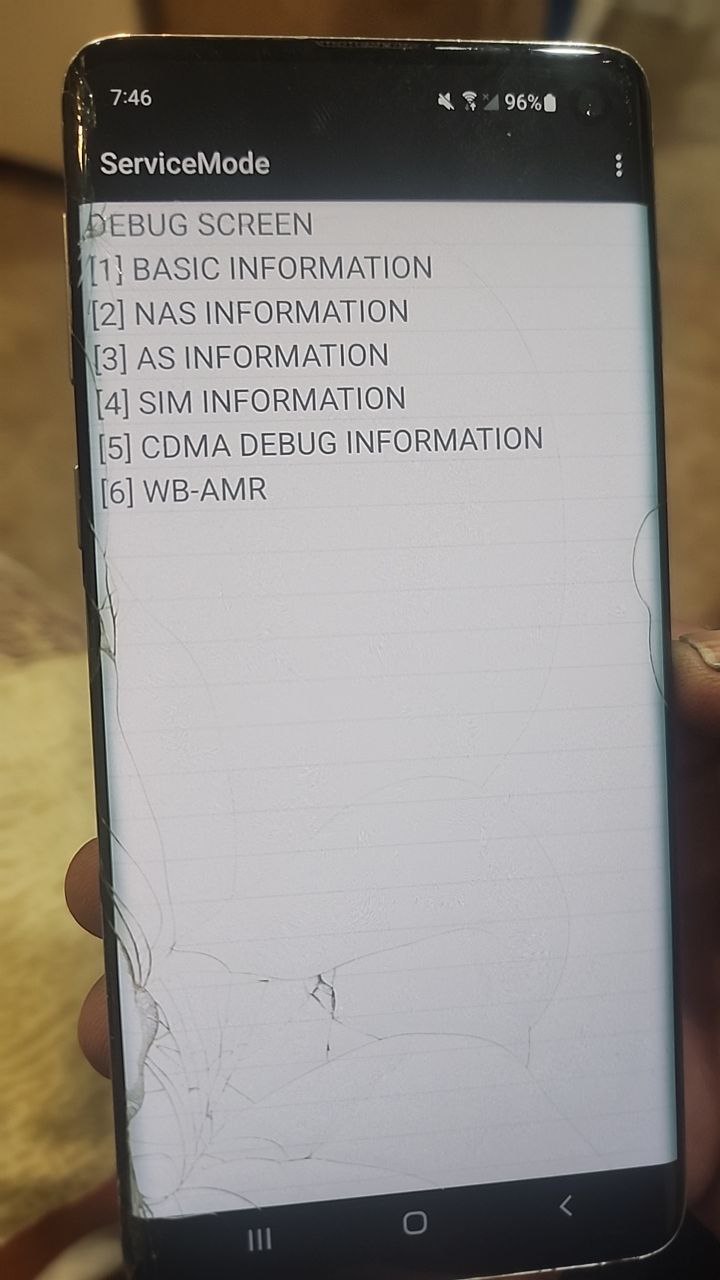
 By hidden features do you mean menus like these?
 -
-
It's supposed to be "com.samsung.gpuwatchapp/.Service" with the forward slash before the activity being called. Since this isn't an activity it won't work anyways. Try am startservice. Also don't need the -n in there
-
Actually. Here, go nuts:
https://gist.github.com/tsohr/5711945Android activity manager "am" command helpAndroid activity manager "am" command help. GitHub Gist: instantly share code, notes, and snippets.
-
Root Activity Launcher - Apps on Google Play
Launch Activities and Services using Root
-
found my answer thnx anyways.
-
Nice
-
well worth the 99cc.
-
Ahh lots of people love that app. I prefer app manager. To each their own
-
Or you could build it but anyways.
-
Yeah
-
app manager don't show hidden activities I believe??
-
It actually shows
-
nvm I meant to say it's not shizuku friendly.
-
I was gonna say
-
Noooo it doesn't like it at all!
-
yeah I needed an activity manager with shizuku syste priv.
-
I can launch any activity now. using roo launcher.
-
with having to write commands.
-
I have to start the app manager adb service using termux with rish haha
-
buy tasker and get autoinput.
-
From the tasker community on Reddit
Explore this post and more from the tasker community
-
I'm automating all my task now that I finally got shizuku and tasker uid 1000.
-
Nah. It's still simple. I just open termux and type in rish and then paste the command. Takes 15 seconds
-
nice termu, I never got termux and rish to work on my phone.
-
I've never tried shizuku uid 1000. Not exactly sure how it works
-
don't k own what I'm doing wrong.
-
Oh really.
-
I posted something a few days ago up here
-
It basically makes system_app execute shizuku .dex
-
So that it can execute command as system_app
-
idk why it doesn't work for me.
-
I have tried it.
-
Battery opt?
-
Did you modify the .sh?
-
which one?
-
rish.sh file
-
No actually rish
-
I modify rish and added com.termux
-
Hmmmmm
-
I grant permission and type rish
-
And it just fails to connect?
-
That's sounds great. Does it work in android 14 though? I've had Tasker before and didn't like it. A lot going on in that app lol
-
nothings shows up.
-
Maybe just let the permission dialogue appear, and don't make it pregranted
-
I did that.
-
If you successfully get system_app yes I guess?
-
preprinted and also let it show.
-
And you put rish and rish_shizuku.dex in the termux $PATH?
-
I don't own any 14 device
-
deleted data. and everything
-
yes
-
Hmmmmmm
-
Could you record the procedure?
-
Very strange
-
if you can make a script for me might be better.
-
I'm pretty sure I did everything right.
-
but who knows I'm new at this.
-
^^^
-
It would be helpful
-
yeah
-
Lol I've been trying for system in this phone for a while and nothing. Wr3cckl3ss says it'd been "difficult" which leads me to assume he's very close or has it and is making the necessary tweaks before anything
-
I have a couple ideas but I want to make sure first
-
I wish I had one
-
I'm poor ;(
-
#!/bin/sh
echo "rm -rf /data/data/com.termux/files/usr/bin/rish"
rm -rf /data/data/com.termux/files/usr/bin/rish
echo "cp /storage/emulated/0/download/rish /data/data/com.termux/files/usr/bin"
cp /storage/emulated/0/download/rish /data/data/com.termux/files/usr/bin
echo "chmod 777/data/data/com.termux/files/usr/bin/rish"
chmod 777 /data/data/com.termux/files/usr/bin/rish -
open the rish and replace PKG with com.termux
-
Does it also copy rish_shizuku.dex?
-
it copies the rish folder which has rish a d rish_shizuku.dex
-
I doubt it does
-
What's the result of output?
-
could you fix it??
-
Based on what it says
-
Yeah I don't see that in there. All it needs is chmod +x rish and chmod +x rish_shizuku.dex. I've always done it while in the termux bin too. Just put them in separately
-
I see not echos on termux.
-
You're willing to use cp -r for folder copy
-
cp -r replaces if it already exist no?
-
Idk, r is recursive
-
That's for the whole file
-
Sorry I'll step back lol
-
yah, if you have a script . someone want to share it would be nice.
-
/sdcard/shizukufolder/ path.
-
Sorry, I don't use scripts unless I know they 100% work. I'd rather do it manually if i can so I know it's correct
-
And this is pretty simple for it. 5 minutes of work probably
-
could you type the steps down below so I can write it then.
-
remember use path /sdcard/shizukufolder/
-
Sure give me a few minutes if you can wait
-
Does it contain rish and .dex?
-
I got 40 years my friends.
-
yes
-
I'm three years behind brotha!
-
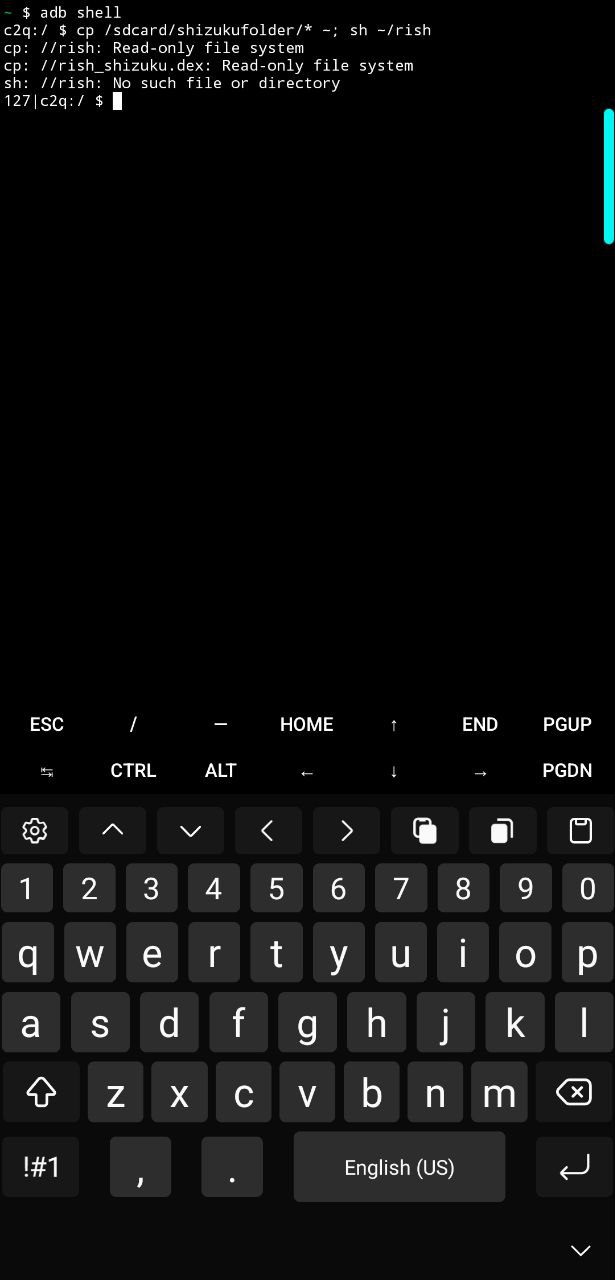
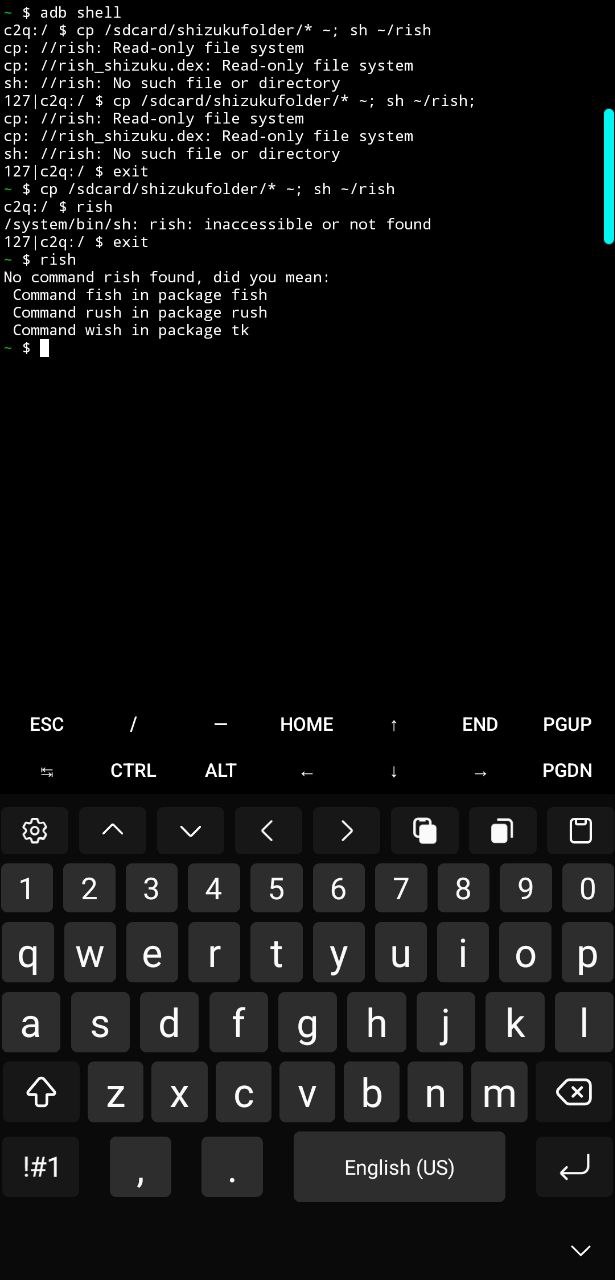
cp /sdcard/shizukufolder/* ~; sh ~/rish;
-
One liner
-
No this is i use from shild. I want to what i do more which samsung not permit to use and new and advance
-
Multiuser?
-
Hmm
-
Lol I've never seen a simple script like that before. Got it under control then hopefully :)
-
Lool
-
-
I got uh.. 15?
-
-
Don't use adb shell
-
You're running as termux
-
-
-
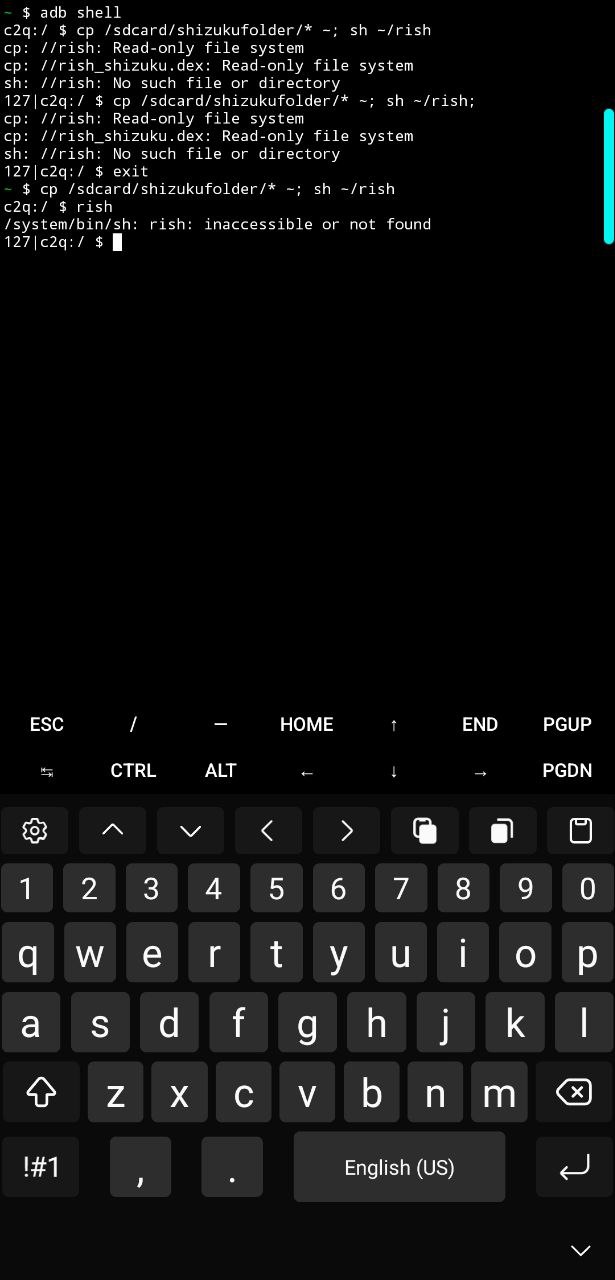
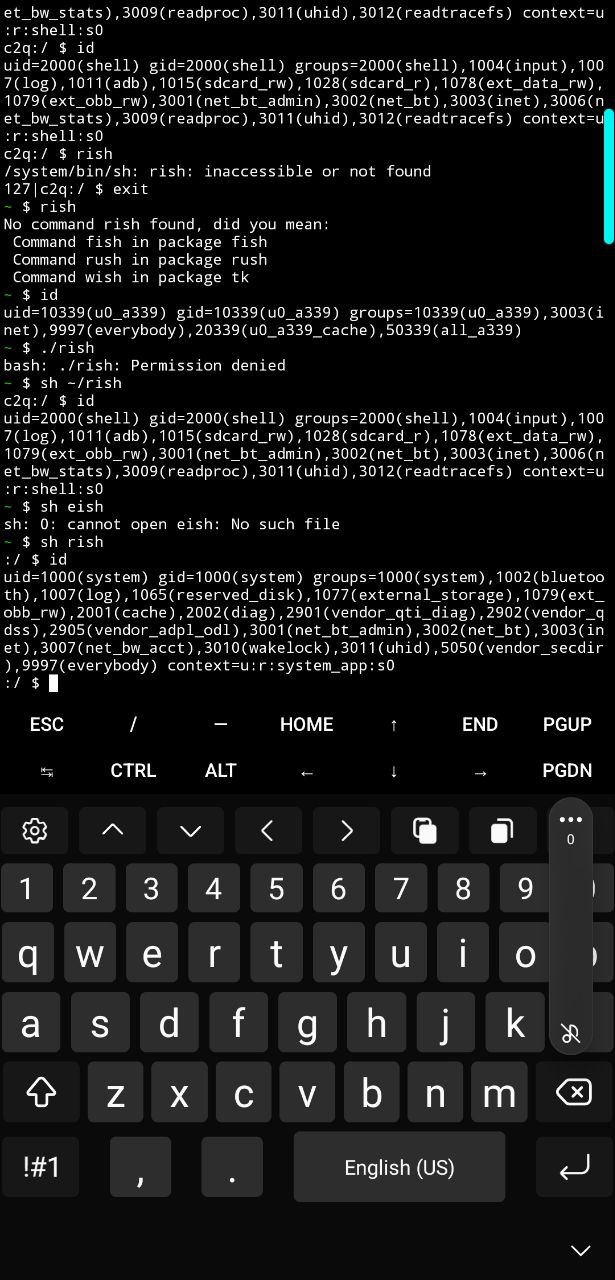
1,adb shell 2, as termux 3 ran rish
-
Uuuuuh
-
Like man
-
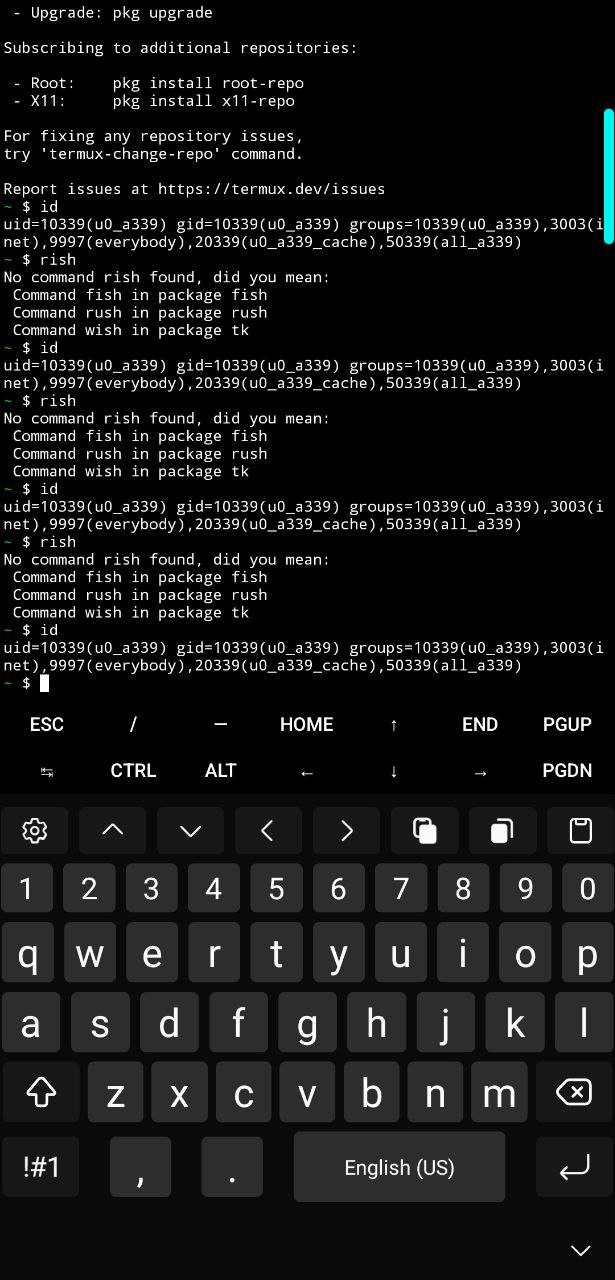
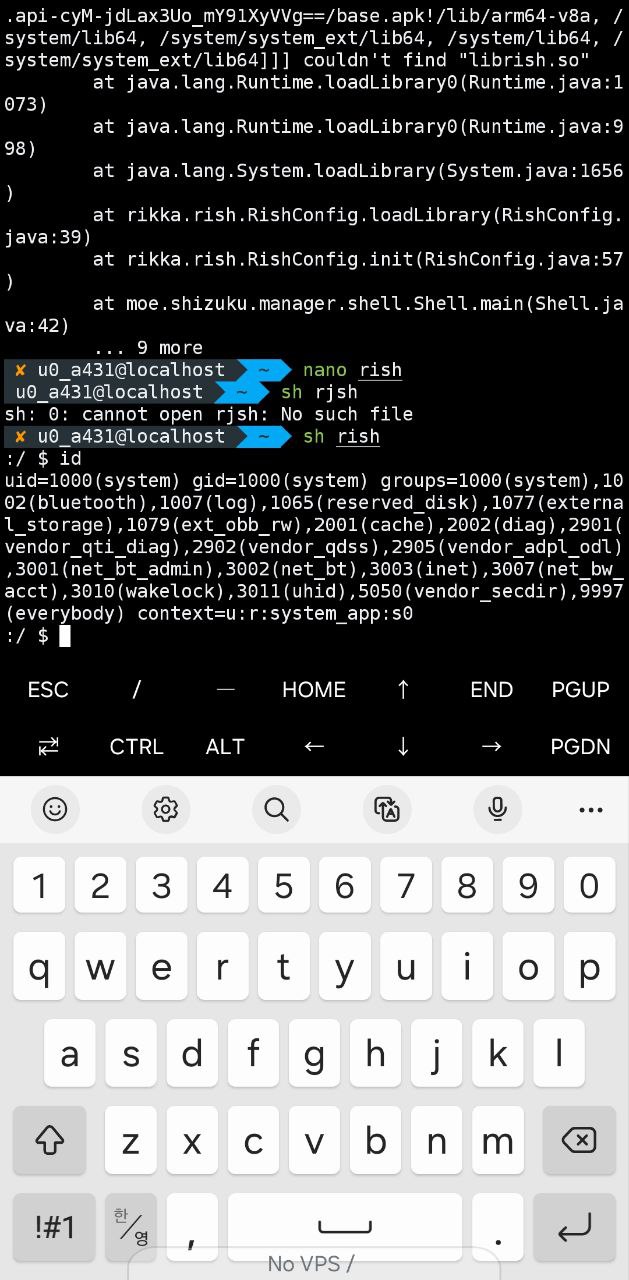
You got rish working
-
how do I tell?
-
👀
-
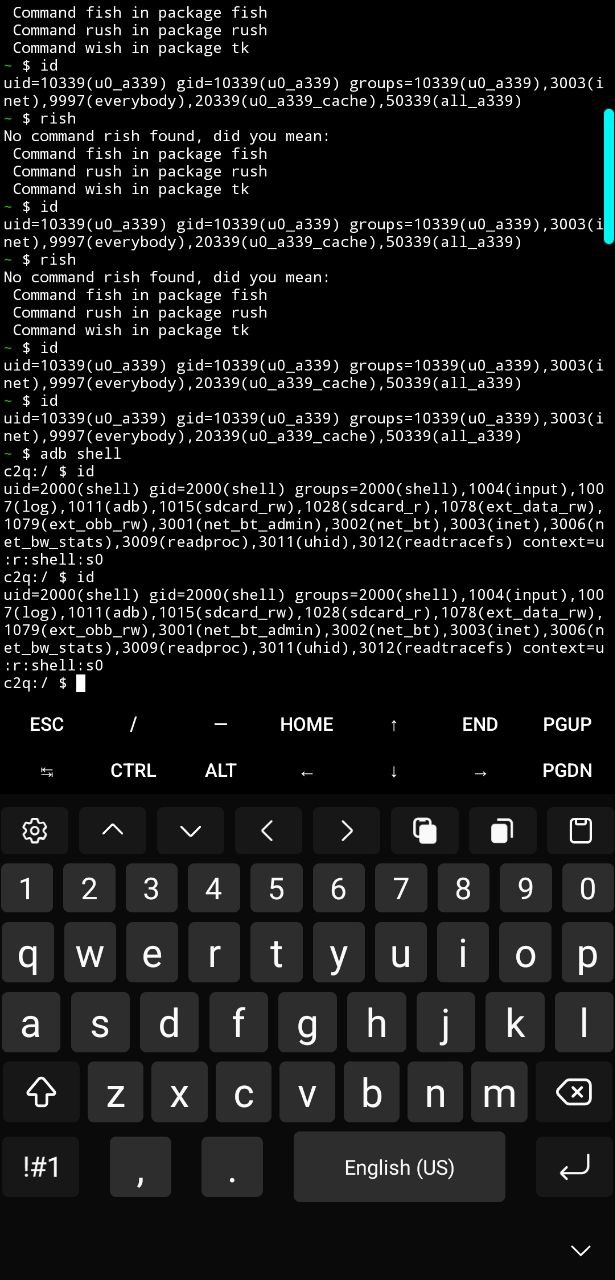
c2q is your device name
-
127??
-
I never actually looked up what those numbers were for
-
I guess I had rish all this time. but you can't really tell. at least I was expecting a number close to shizuku PID
-
From home just type in ls and you'll be able to see what's in /
-
-
I expected rish to show I different id
-
Holy. Wish I started this stuff when I was younger
-
You're regular user again
-
id is supposed to be 2000
-
-
-
but what the difference between termux adb shell and rish?
-
uid I mean
-
aren't they both 2000?
-
Not sure I've only ever used rish in termux and it's always had id 2000
-
Here's something anyways...
-
I've searched all over YouTube but could not find a clear guide.
-
I'll take a look another day.
-
meanwhile I'm almost ready to release my tasker script for auto uid1000.
-
-
video bout to release soon
-
I always thought rish had higher privileges but I think it's only for what you're talking about and not even sure if that works on android 14. Honestly haven't tried much with this phone since it's patched to high heaven
-
That's when you use inexisting command
-
Sh rish
-
It seems you don't use system shizuju
-
-
It clearly shows - you don't use system for shizuku although it supporta
-
I still have some bugs to fix but we almost there.
possible features.
1. Lockscreen command launching
2. Per app profile to launch any command foreground or background
3. many more -
So I've been using it wrong the whole time too?
-
Wdym
-
If it says 1000 then it's system
-
If it's 2000 that's same as adb
-
No it's still 2000 which I thought was normal. Just not sure how exactly to get the shizuku system running
-
What does the app literally shows
-
lol and here I was is Camshaft nuts?? I guess just was right.
-
I don't have it
-
I gues spark we need a short video for termux system proccess.
-
we are lost.
-
Oof
-
I gotta find shizuku apk lol
-
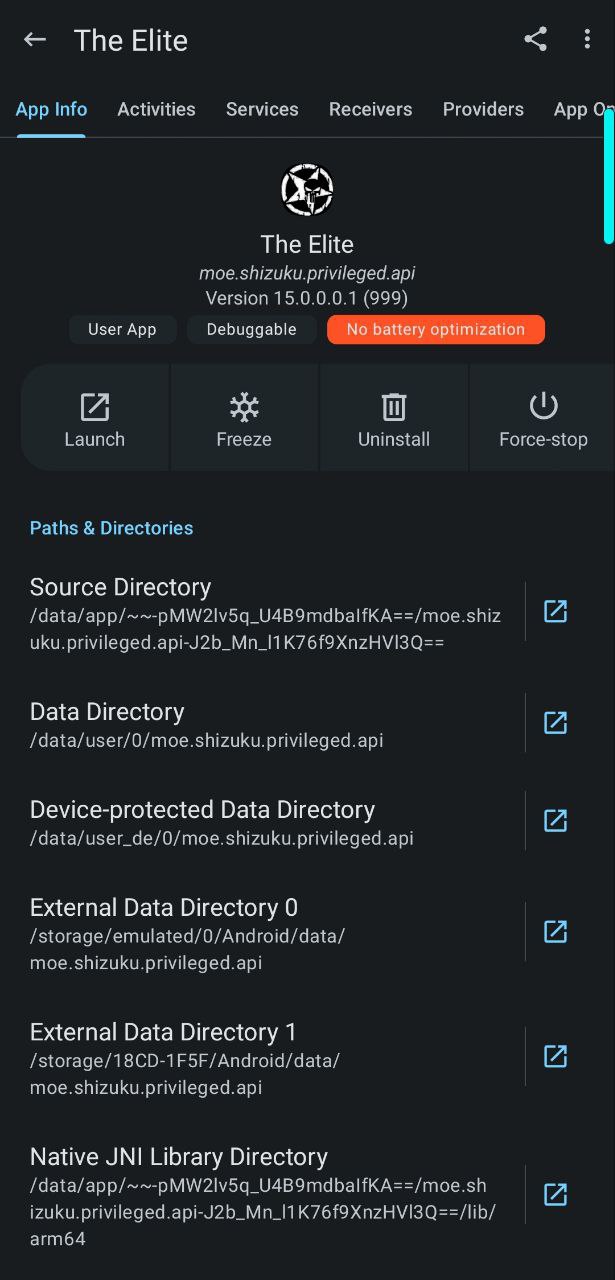
use the elite???
-
thats what I'm using for tasker 1000
-
I lost that
-
Lol I knew shizuku system was a thing but people have said its really difficult to get going so that discouraged me from trying
-
Where's it?
-
He pinned it
-
the elite with gold cup
-
Okay I half get that
-
As shell, use pm list packages -f | grep shizuku
-
what do you mean offtopic guy wrote the guide how to do.
-
Uh wait
-
Then
-
Why are you lost
-
that worked for tasker.
-
not termux
-
I don't know why it doesn't work for teemux
-
Kill Shizuku
-
I did
-
Follow the guy's method
-
And run rish
-
I did the same method and apply it on tasker.
-
Hmmmmm
-
Okay I'll have to find it. I don't think I saw it actually otherwise I would be avoiding this conversation haha
-
on tasker worked right away.
-
Did you just copy paste his written path
-
is the last post camshaft on offtopic
-
nop
-
i changed path to this
-
-
my own path
-
./ beginning blah blah blah at the end added the rest that was missing
-
Oh geez okay. Time for some reading then I guess
-
I'm using the path right cuz it works on tasker.
-
yeap
-
sj park if you could make a video from the beginning that would be great. short 1 min video
-
Gon' give it a try
-
thnx.
-
maybe I give termux another try.
-
the only reason I use termux is for this single command.
-
tail /dev/zero
-
only Terminal that can do the job.
-
Let me guess, all the others shut down?
-
nop.
-
they don't do the job.
-
I don't know why it works on termux but it does.
-
Hmm I'll check that out
-
fills memory to the top, system clears memory and wallah memory resets to low.
-
no adb shell no system Shell.
-
type it as it is.
-
Yeah it definitely did something. Kinda like a reboot without shutting down my phone
-
thats what I said it's writes 0s or something to the memory. it's fastest memory cleaner.
-
for non rooters.
-
Cool. Never done that before. Thanks. Will come in handy sometimes!
-
yeah no problem.
-
here to share and help.
-
-
Ok succeeded
-
-
thnx
-
me too.
-
Nice job
-
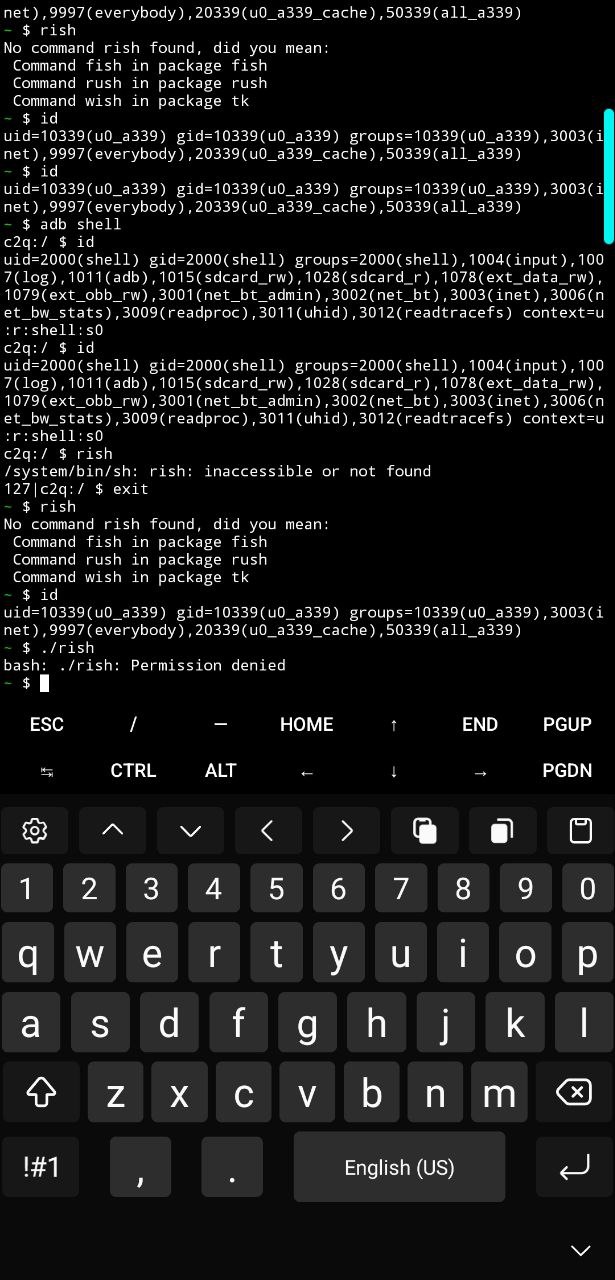
all I had to do is "sh rish"
-
been doing
rish
/
./rish -
I see
-
If you wanna do ./rish
-
man when you think you know something you know nothing.
-
Use chmod +x ./rish for one tine
-
For real
-
yeah that's what this ai chat have been telling me, if it wasn't for AI chat I wouldn't even been trying to use termux.
-
I guess they were right.
-
sj park how knowledgeable are with cpu policy frequencys.
-
I'm gonna upload my (AI chat ) cpu freq fixer. if you can someone help me out with it I'll appreciate it.
-
they work.
-
the problem is that when an app is open the freq jumped when (in my head they should remain the same no matter what)
-
-
CPU clocks?
-
yeap.
-
https://xdaforums.com/t/tweaks-samsung-one-ui-tweak-system-kernel-without-root-using-system-shell.4659747/ based on this post[Tweaks] Samsung One UI - Tweak System Kernel Without Root Using...
Overclock / Underclock Using the power of System Shell Example: Requirements: System Shell Exploit Terminal Little logic Steps: Download Exploit.zip Copy the Folder "Exploit" to /sdcard or...
-
They're variable depending on its current job
-
even if you set the min and max freq?
-
To keep a balance between power save and performance
-
Uhhh
-
They get variable between the max and min
-
buy what if you set the min and max to let's say 120000
-
Uhh
-
Static?
-
I expect policy0 (4 cpus) to remain at the ghz not matter what.
-
yeah
-
static not dynamic
-
And it still moves?
-
yes
-
when an app is launch
-
is freq is set to let's say 500000 which kinda low, it ight change to 750000 for 1 sec and back down.
-
I'll record a video and show you.
-
you not busy right you got time?
-
don't want to steal your time...
-
make sure you follow the guide from offtopic video.
-
also use shizuku from the page here
-
don't use shizuku from github
-
get the elite shizuku
-
Is it that mp4?
-
yeah
-
I think so
-
Oh shit. Okay. Damn I've been asleep at the wheel I guess haha
-
well i use the elite shizuku, I don't know if it works with regular shizuku.
-
don't take my word on that.
-
Alright. I'll check it all out
-
Doesn't seem to work
-
I tried
-
what doesn't seem to work regular shizuku?
-
If that video isn't the most confusing thing I don't know what is. I found the library so just need to add it to path. The elite runner isn't working properly though. Just a sec
-
System shell for regular shizuku
-
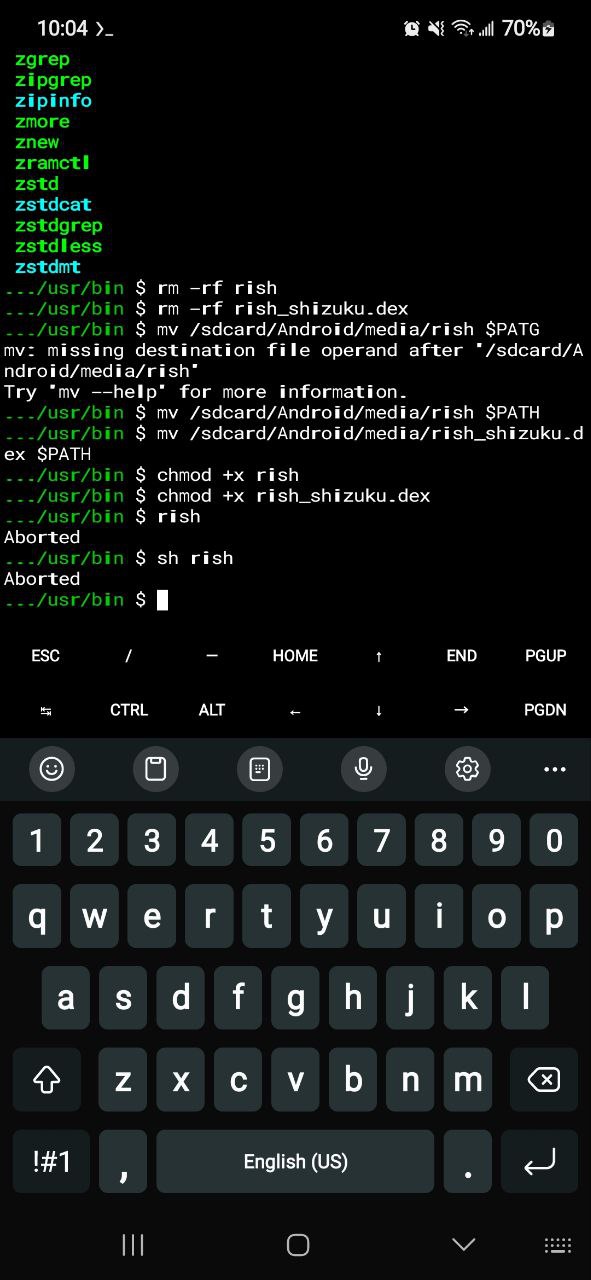
-
That's a big nope at the moment
-
Aborted?
-
Indeed
-
No clue, never had that
-
gonna postponed the cpu video, I messed some of them scripts, gotta sort it first. I'll upload it tomorrow.
-
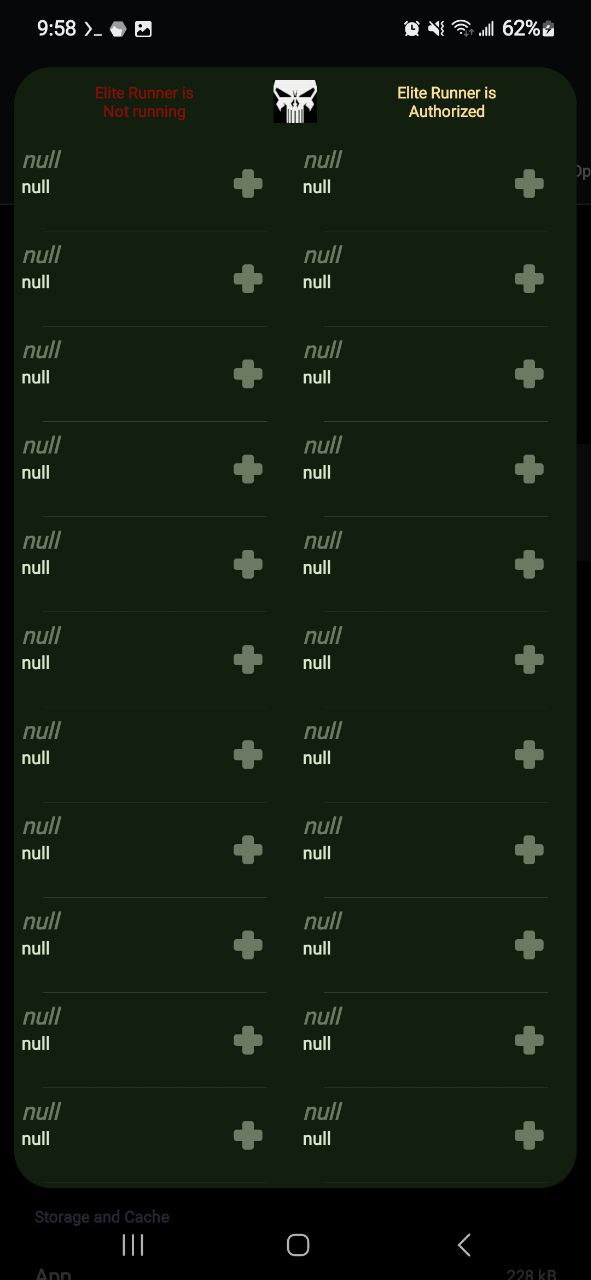
Even says it's authorized in the modded elite shizuku
-
I don't think I can access the /data/app/****/lib64
-
arm64 folder I mean
-
You can
-
Yeah I just checked that too
-
Segmentation fault. Wtf. Hate these errors
-
So android 14 sucks ass. There's got to be something
-
Did you remove write
-
[Bug]: termux-setup-storage does not work on Android 14 · Issue #3647 · termux/termux-app
Problem description I get the following error logs when trying to run termux-setup-storage on my Android 14 Pixel 7A device. ~ $ termux-setup-storage /data/data/com.termux/files/usr/bin/termux-setu...
-
No I checked permissions and everything in arm64 is rwxr-xr-x
-
A14 is very restricted
-
they mentioned a fix there, perhaps you already know it.
-
Mayybe W^X? But well no. Idk
-
Yeah samsung are a bunch of censorship loving cu*ts
-
I'll have to freshen up on it
-
Hmm won't let me use ACCESS_RESTRICTED_SETTINGS. But! It's debuggable so I may have a loop hole
-
The termux I'm using is pretty modded too
-
Run-as still says aborted too
-
Sj Park watch me
-
Sj Park watch me don't forget.
freq min && max are set ex. 300000 to be static.
as you can see now
low power mode
when an app is task is "active" meaning swiping, opening an app, call, text, cpu 4 a s 7 go up .
Medium power mode
there's no change unless a medium heave task is active Ike watching a video or editing.
High mode
I set them higher obviously but the change occurred while gaming cpu 4 and 7 will change a bit. if the current taks is not demanding enough cpus freq go lower then what I set them to. -
-
question has anyone modded Appmanager to use shizuku? I search online but could not find anything.
-

-
ummm gonna give it a try. thank you.